
Introduction
Managing Azure Arc-enabled servers across hybrid environments becomes increasingly difficult as your fleet grows. Without proper visibility, you're left wondering: Which servers have failing extensions? Are all agents up to date? What's the security coverage across your infrastructure?
Microsoft provides the Azure Arc platform but leaves you to build your own monitoring and reporting. This workbook fills that gap with a production-ready solution that gives you immediate visibility into your entire Arc server fleet.
Get Instant Access to This Solution
Join the membership platform and download this ready-to-deploy workbook today
MVP-Built Solutions • Production-Ready • Complete Documentation
The Problem
Organizations with Azure Arc-enabled servers face common visibility challenges:
- Extension failures go unnoticed - A failed Defender for Servers extension means unprotected servers, but Azure doesn't alert you proactively
- Agent version sprawl - Different servers running different agent versions creates support complexity
- Security coverage gaps - Hard to verify which servers have proper security agent deployment
- No unified view - Information scattered across multiple Azure Portal blades
- Operational blind spots - No easy way to track onboarding, changes, or trends over time
Solution Overview
This Azure Monitor Workbook provides a single-pane-of-glass view for your entire Azure Arc server infrastructure with 6 specialized monitoring tabs.
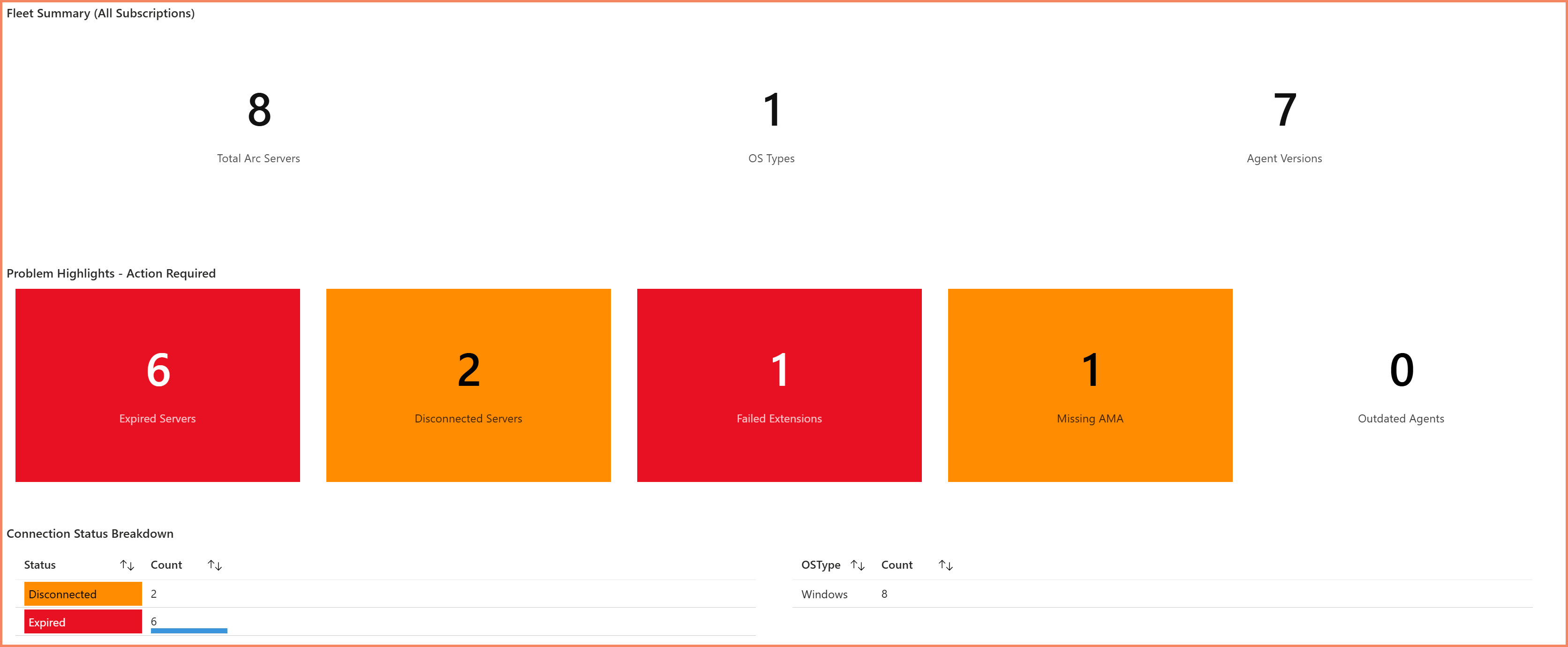
Overview dashboard showing Arc server fleet status at a glance
Workbook Tabs
The workbook is organized into 6 specialized tabs, each addressing a specific monitoring need:
1. Overview Tab
Your starting point for understanding fleet health at a glance.
- Total Arc-enabled servers across subscriptions
- Server distribution by resource group and location
- OS distribution (Windows/Linux)
- Quick health metrics and status summary
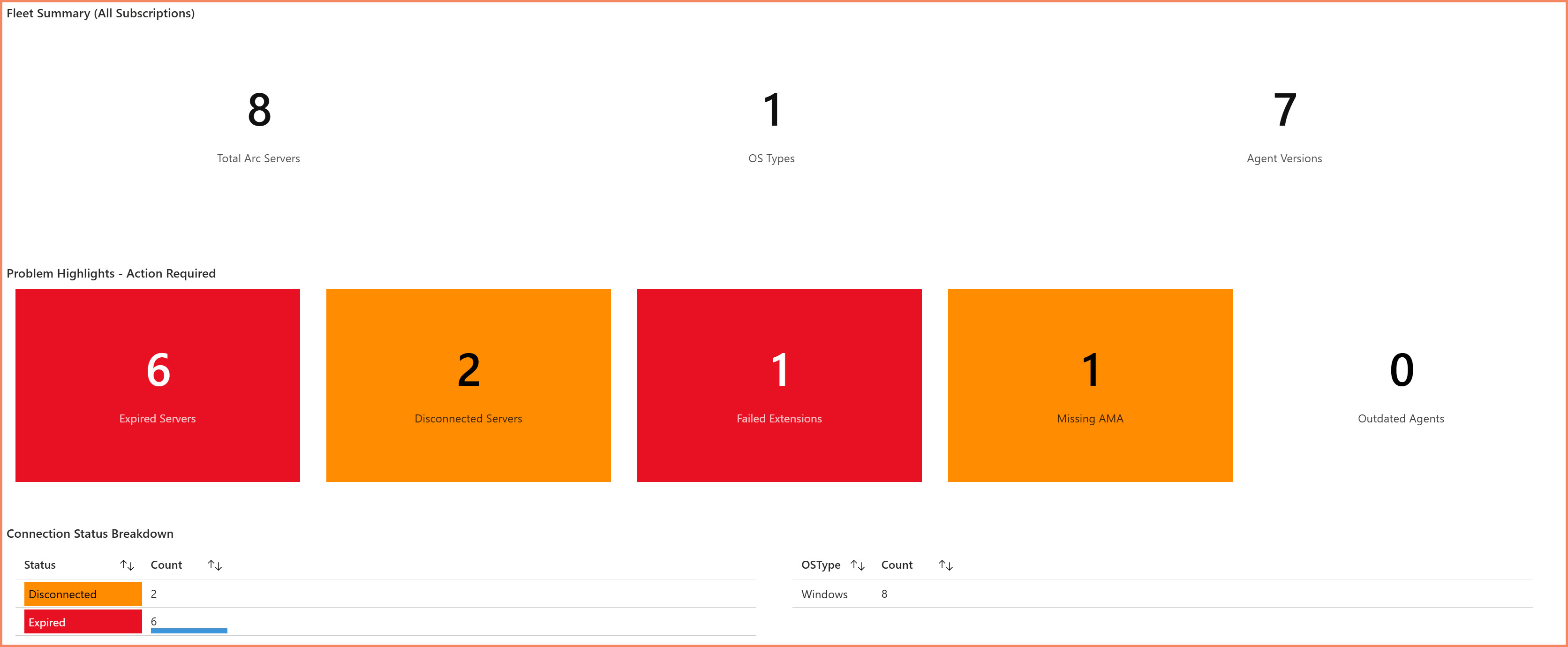
Overview tab showing server distribution and health summary
2. Connection Health Tab
Monitor connectivity status across your Arc server fleet.
- Connection status and last seen timestamps
- Offline server detection and alerting
- Heartbeat monitoring trends
- Connectivity issues identification
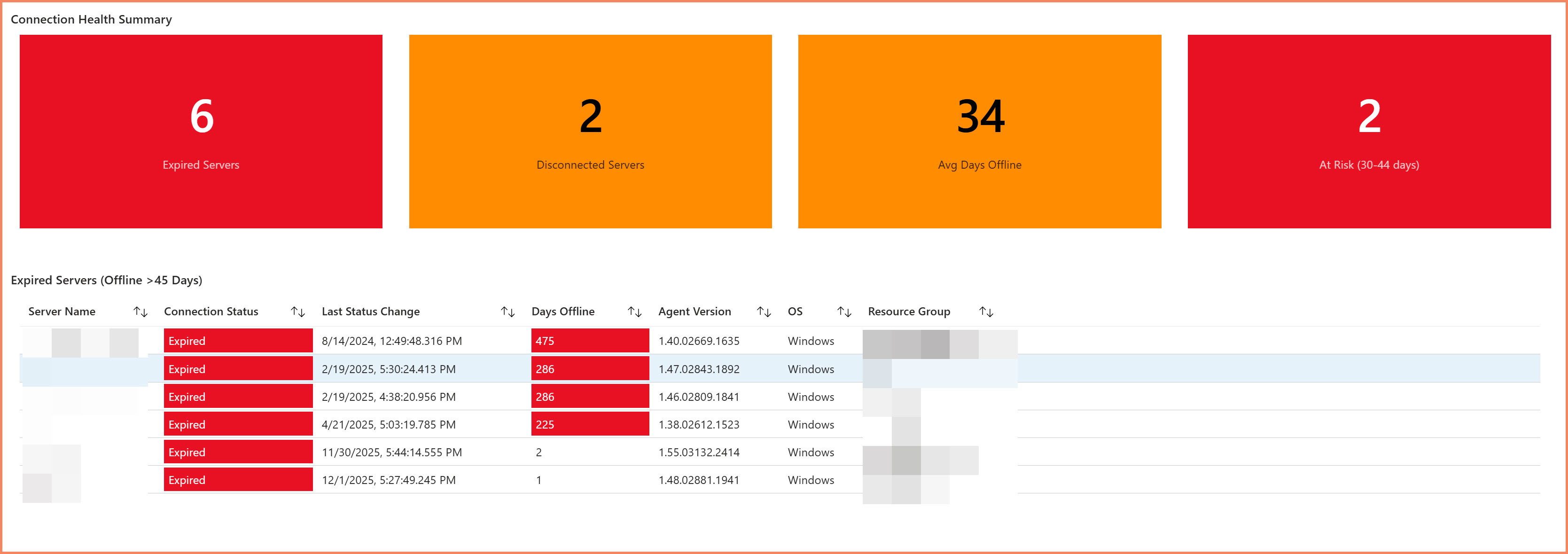
Connection Health tab showing connectivity status and offline detection
3. Extensions Tab
Track extension health across your fleet - the area where most issues occur.
- Installed extensions across all servers
- Extension status tracking (Succeeded, Failed, Installing)
- Version tracking and update requirements
- Extension deployment trends
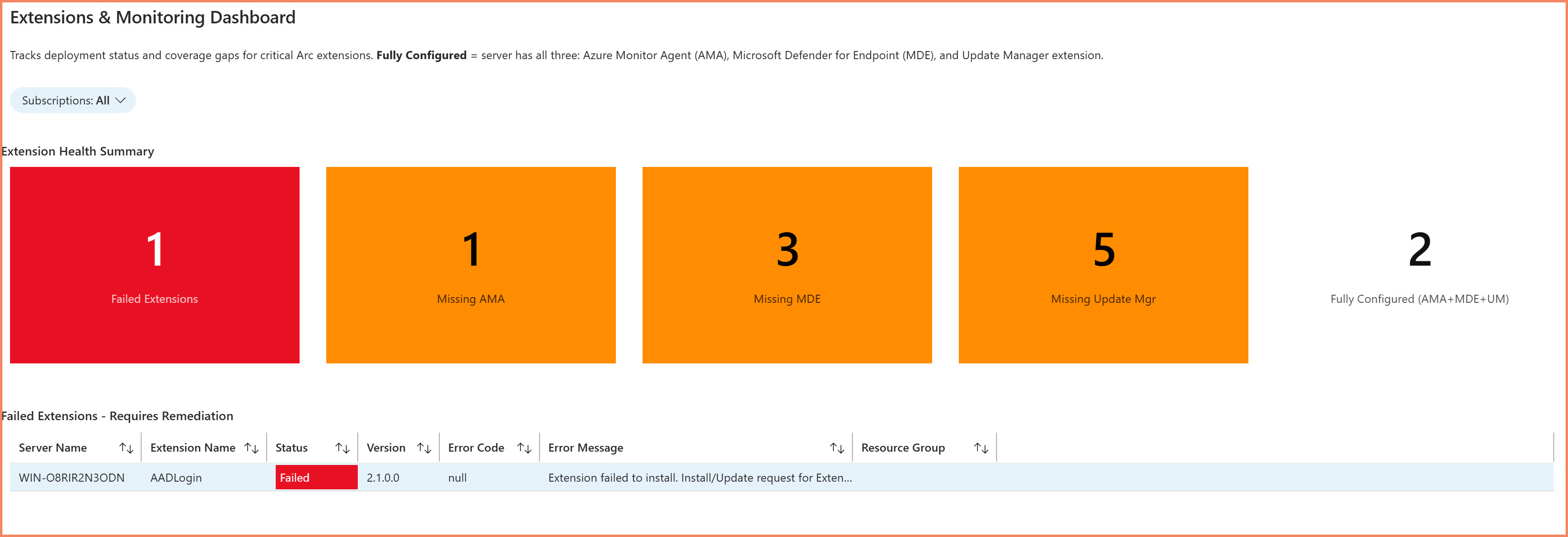
Extensions tab showing deployment status and version tracking
4. Agent Health Tab
Monitor the Azure Connected Machine agent across your fleet.
- Agent version tracking and standardization
- Agent health status
- Version distribution analysis
- Upgrade recommendations
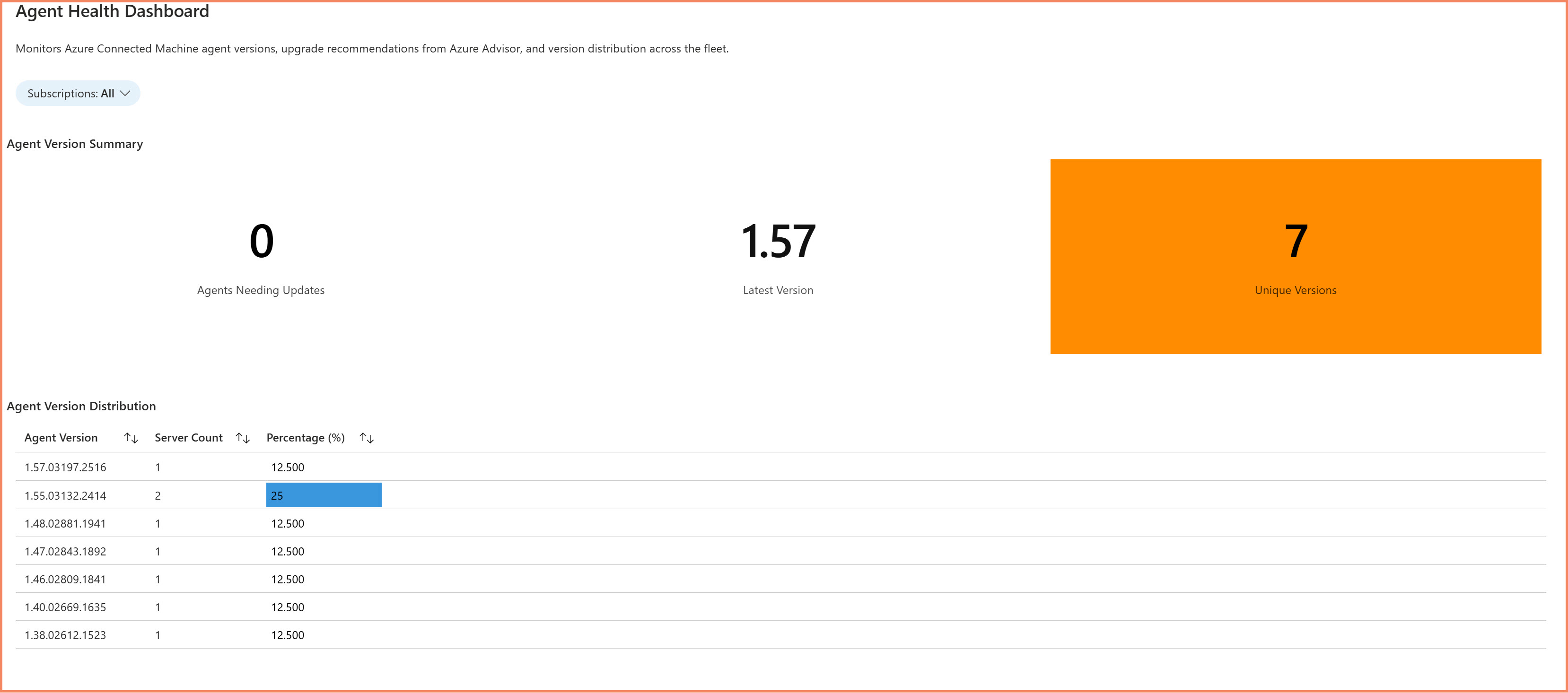
Agent Health tab showing version distribution and health status
5. Operational Activity Tab
Track changes and activity across your Arc infrastructure.
- Server onboarding timeline
- Configuration changes
- Extension installation history
- Resource modifications over time
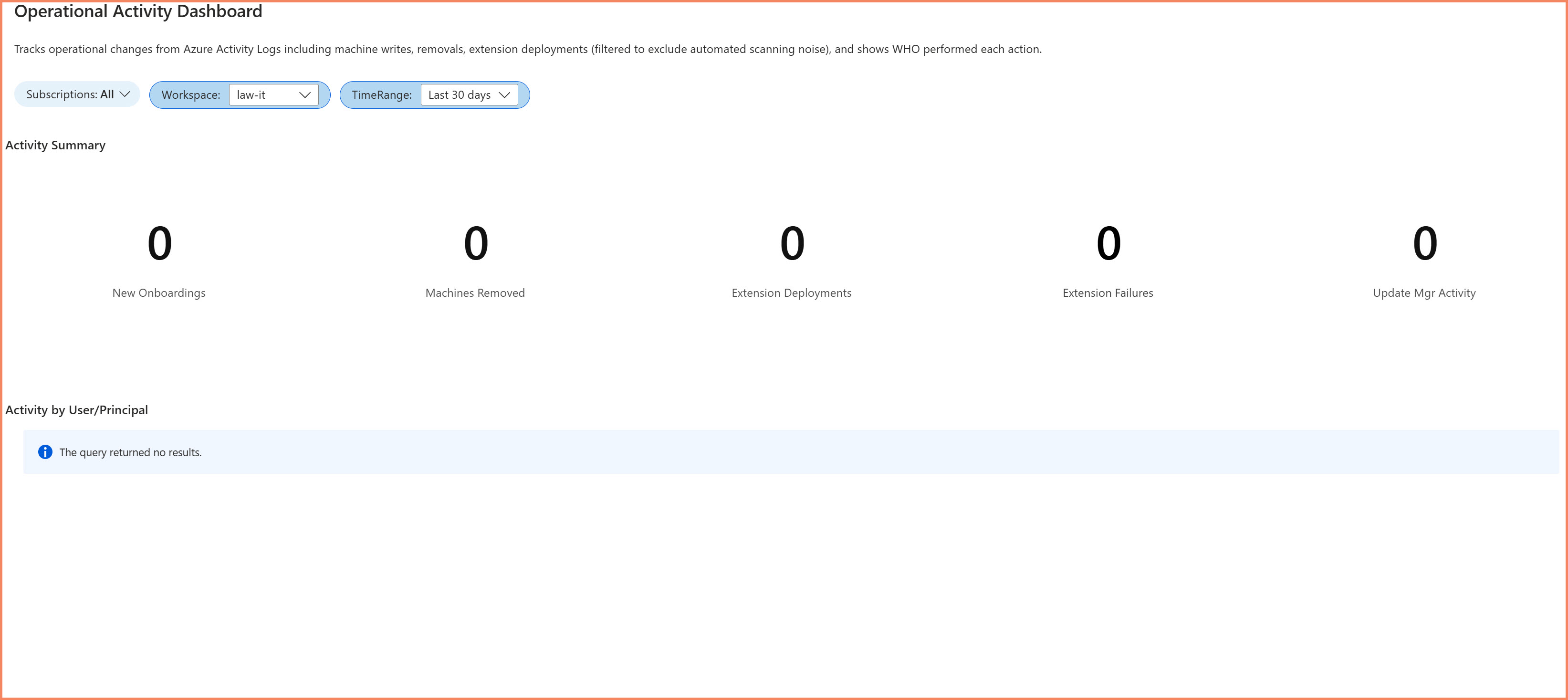
Operational Activity tab showing onboarding trends and changes
6. Recommendations Tab
Actionable insights to improve your Arc infrastructure.
- Servers requiring attention
- Extension update recommendations
- Agent upgrade suggestions
- Best practice compliance checks
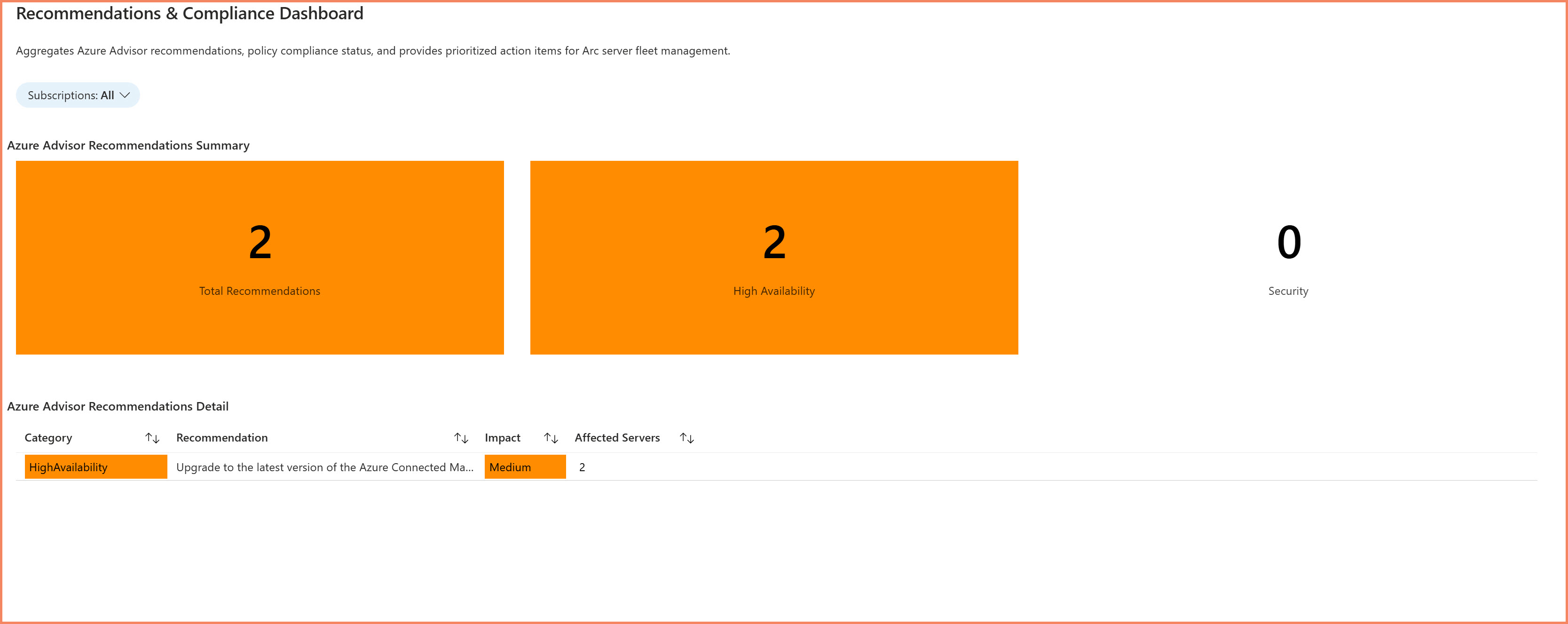
Recommendations tab with actionable improvement suggestions
Key Benefits
For Infrastructure Teams
- Single pane of glass - All Arc server information in one location
- Proactive issue detection - Identify problems before they escalate
- Standardization tracking - Ensure agent versions are consistent
- Operational visibility - Track changes and onboarding over time
For Security Teams
- Coverage verification - Confirm Defender enrollment across all servers
- Gap identification - Find servers missing security agents
- Compliance reporting - Demonstrate security posture to auditors
- Risk prioritization - Focus on servers needing attention
For Management
- Executive dashboards - Quick health overview
- Trend analysis - Track fleet growth and health over time
- Resource planning - Understand infrastructure distribution
- Audit readiness - Demonstrate operational maturity
Requirements
To deploy and use this workbook, you need:
Azure Requirements
- Azure subscription with Arc-enabled servers
- Permissions to create and edit Azure Monitor Workbooks
- Access to query Azure Resource Graph
Data Sources
- Azure Resource Graph - Server inventory and properties
- Azure Activity Logs - Operational changes and events
- Azure Monitor Logs - Heartbeat and performance data (if configured)
What's Included
When you access this solution through membership, you receive:
- Complete Workbook JSON - Ready to deploy in Azure Portal
- Deployment Guide - Step-by-step instructions
- Customization Notes - How to adapt for your environment
- KQL Query Reference - Understanding the underlying queries
- Troubleshooting Guide - Common issues and solutions
Ready to Deploy This Solution?
Get the complete workbook package with deployment guide and ongoing updates
MVP-Built Solutions • Production-Ready • Complete Documentation
About the Author

🎯 Specializations
- Microsoft Defender XDR
- Microsoft Sentinel SIEM & SOAR
- Microsoft Entra ID (Azure AD)
- Microsoft Intune
- Azure Arc Services
- Azure Log Analytics
- Azure Automation
- Hybrid Cloud Management