
Introduction
Security and messaging teams need to investigate mail delivery inside Microsoft Sentinel: who sent what, whether it was delivered, and where failures occurred. Exchange admin tools cover ad-hoc lookups, but they do not give you centralized, queryable history in your Sentinel workspace or a way to correlate mail flow with other security signals.
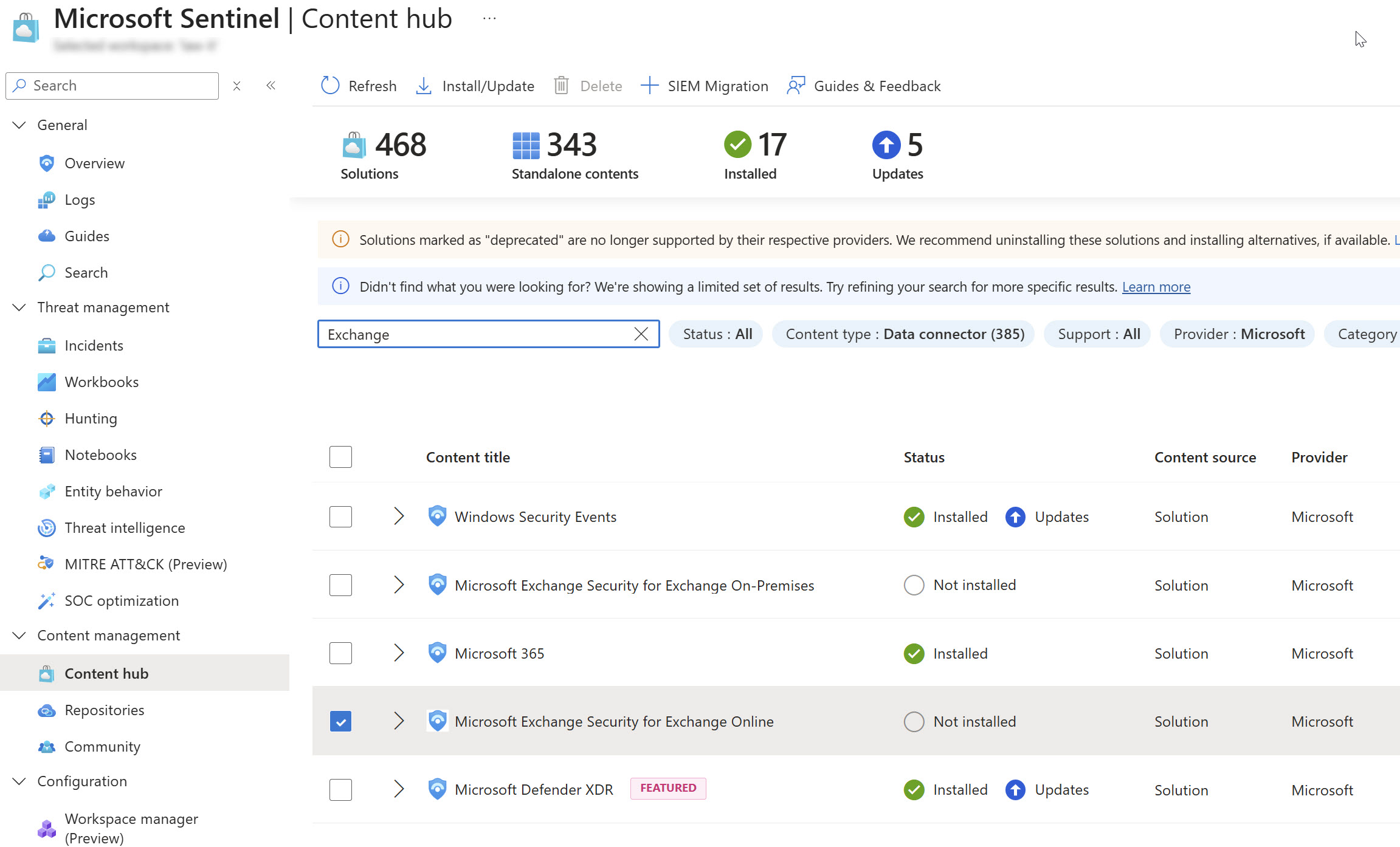
Microsoft Sentinel Content hub has no first-party connector for Exchange Online message traces. You build the pipeline yourself.
This solution packages a production-ready custom connector: automated ingestion from the Graph message trace API into your Log Analytics workspace, a Sentinel workbook for mail flow analysis, and health alerting so you know when the pipeline stops working. It is built and verified by a Microsoft MVP with an admin-first mindset. Deploy, validate, and operate with confidence.
Get Instant Access to This Solution
Join the membership platform and get the complete deployment package with workbook, health monitoring, and implementation documentation
MVP-Built Solutions • Production-Ready • Complete Documentation
Why This Exists
Per-message trace data is available through Microsoft Graph, but getting it into Sentinel is not a checkbox in Content hub:
- No native Sentinel connector for Exchange Online message traces. You cannot enable this from the portal alone.
- Office 365 and Exchange audit logs cover different events; they do not replace per-message delivery detail
- Standalone message trace tools are fine for one-off lookups, not for continuous SOC investigation alongside other Sentinel data
- When a custom ingestion pipeline fails silently, your team loses visibility into mail flow until someone notices
What's in the Solution
1. Automated Message Trace Ingestion
A timer-driven Azure Function App pulls message traces from Microsoft Graph on a recurring schedule, checkpoints progress, and lands structured records in your Sentinel workspace. Managed identity is used throughout, with no stored secrets in application settings.
2. Sentinel Workbook for Mail Flow
Investigate delivery volume, failure rates, top senders and recipients, and searchable message detail. Designed for SOC and messaging teams who need answers in KQL, not another standalone admin portal.
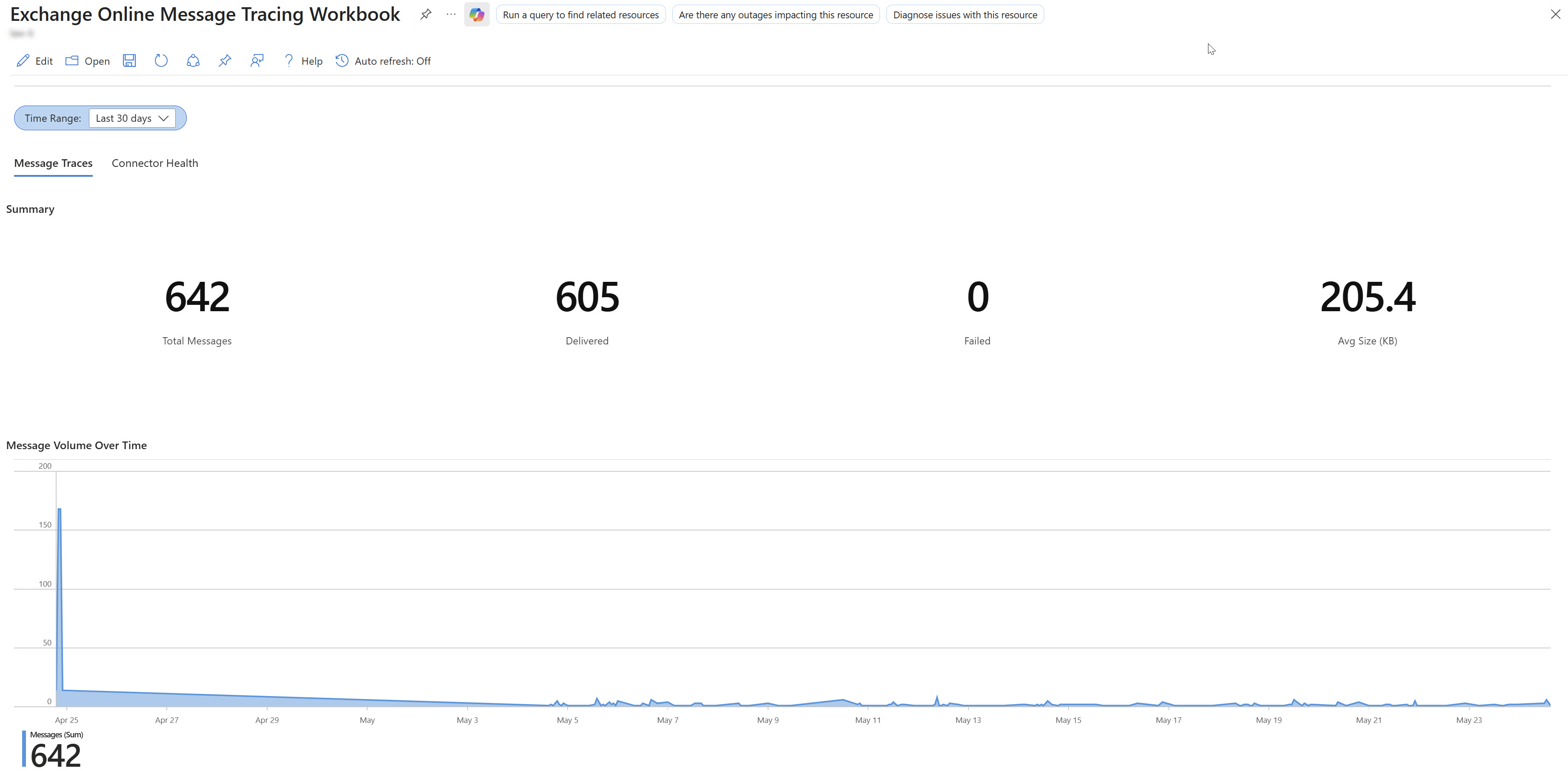
Workbook tab 1: mail flow metrics, top senders/recipients, and searchable message log
3. Sentinel Workbook for Connector Health
Separate operational view for the ingestion pipeline itself: run success/failure, throttle events, watermark lag, and rows ingested per cycle. Know when the connector breaks before your analysts do.
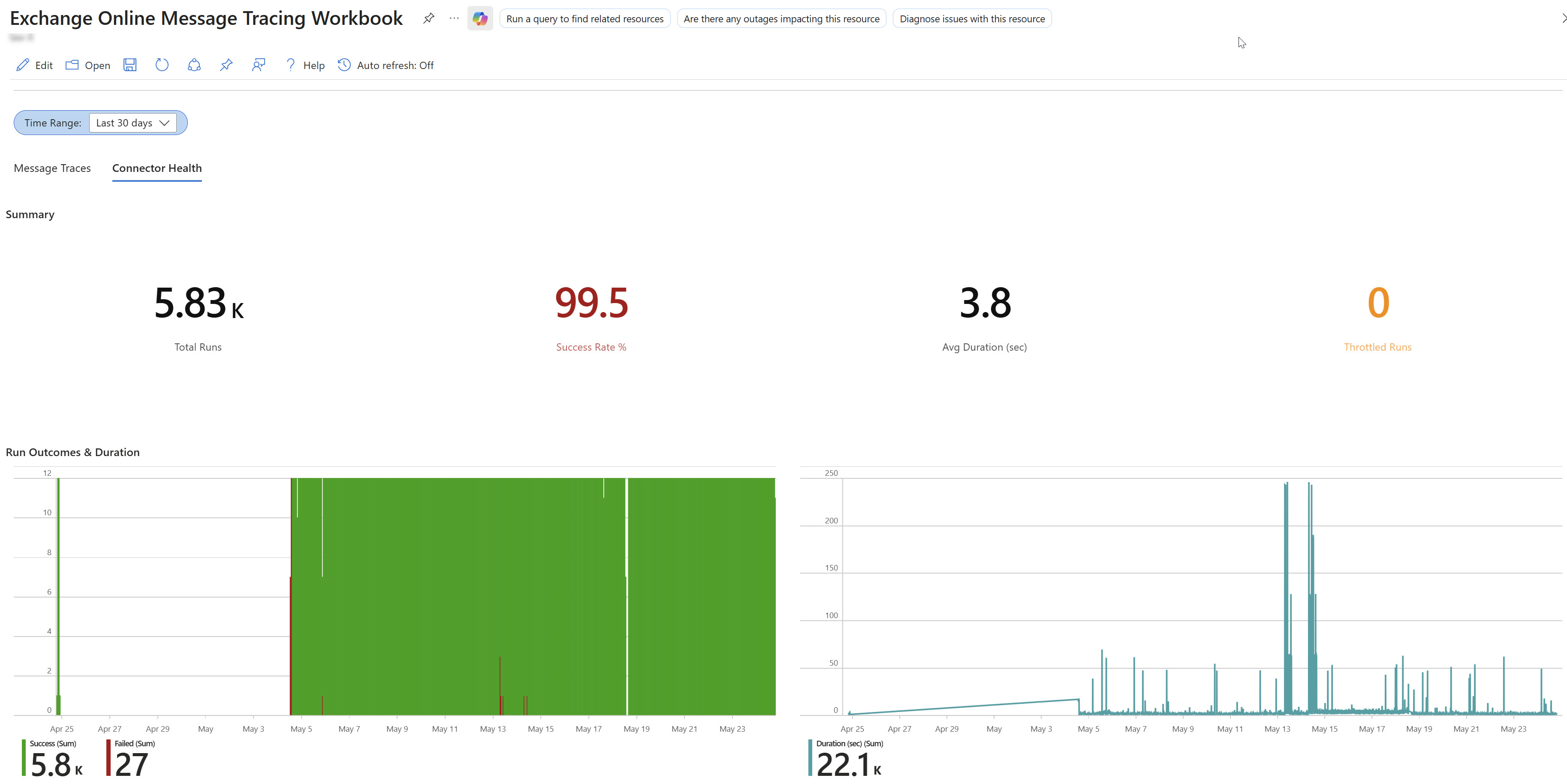
Workbook tab 2: connector run history, failures, and ingestion lag
4. Health Alerting
Analytics rule template that fires when the connector stops succeeding. Pipeline failures then surface as Sentinel incidents instead of missing data you discover days later.

Optional analytics rule: alert when connector health degrades
5. Production Security Baseline
Deployment follows a minimum secure Azure stack: managed identity, Key Vault for function host keys, separate runtime and deployment storage, and closed-by-default network posture. The design matches what Azure custom ingestion requires in 2026, without unnecessary extras.
Key Benefits
- Mail flow inside Sentinel: query per-message traces alongside incidents, alerts, and other workspace data
- Investigation workbook: delivery rates, failures, spam/quarantine breakdown, and searchable message detail
- Operational visibility: dedicated connector health view plus alerting when ingestion stops
- Production deployment package: a complete, repeatable install for your tenant, not a proof-of-concept script
- Admin verification mindset: structured run logging so you can confirm each cycle succeeded before relying on the data
- Flexible subscription layout: deploy into the subscription model that fits your governance, whether that means one, two, or three scopes
Requirements
The solution integrates with standard Microsoft 365 and Azure environments:
- Microsoft Sentinel workspace with Log Analytics (existing or new)
- Exchange Online with message trace API access via Microsoft Graph
- Entra ID application registration with
ExchangeMessageTrace.Read.All(application permission) and required tenant onboarding for the Graph message trace API - Azure subscription(s) for the collector infrastructure. Choose a layout based on your governance model.
- PowerShell 7.x on a deployment workstation with Azure and Microsoft Graph modules
- Permissions to deploy Azure resources and assign RBAC in the target subscription(s)
Graph API tenant onboarding for message traces can take several hours to propagate in production, so plan validation time accordingly.
What's Included
When you access this solution through membership, you receive:
- Complete deployment package: production-ready Azure infrastructure and collector code for your tenant
- Sentinel workbook: mail flow investigation and connector health tabs, ready to import
- Health analytics rule: template for alerting on connector failures
- Implementation documentation: step-by-step planning, deployment, configuration, and troubleshooting (membership access)
- Direct access to the author: Microsoft MVP support through membership
Ready to Bring Mail Flow into Sentinel?
The complete connector package with workbook and health monitoring, production-tested by a Microsoft MVP
MVP-Built Solutions • Production-Ready • Complete Documentation
About the Author

🎯 Specializations
- Microsoft Defender XDR
- Microsoft Sentinel SIEM & SOAR
- Microsoft Entra ID (Azure AD)
- Microsoft Intune
- Azure Arc Services
- Azure Log Analytics
- Azure Automation
- Hybrid Cloud Management